Newton Physics Documentation#
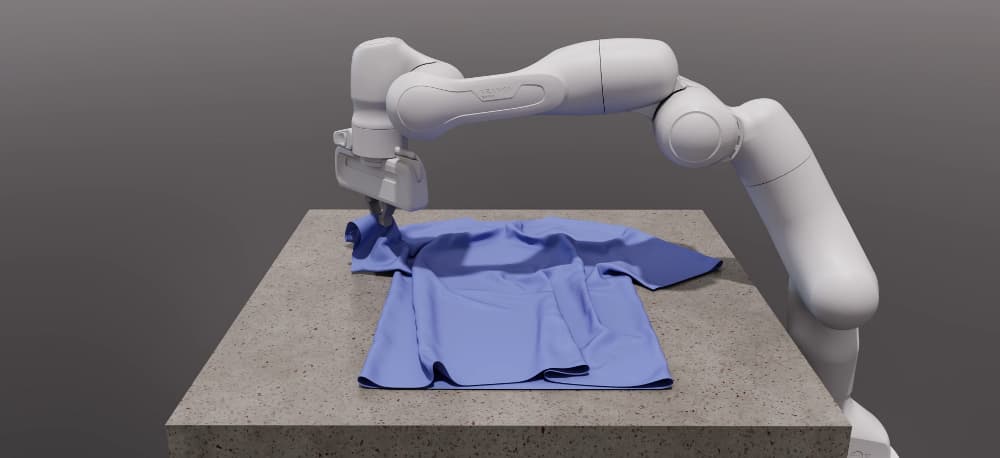
Newton is a GPU-accelerated, extensible, and differentiable physics simulation engine designed for robotics, research, and advanced simulation workflows. Built on top of NVIDIA Warp and integrating MuJoCo Warp, Newton provides high-performance simulation, modern Python APIs, and a flexible architecture for both users and developers.
Key Features#
GPU-accelerated: Leverages NVIDIA Warp for fast, scalable simulation.
Multiple solver implementations: XPBD, VBD, MuJoCo, Featherstone, SemiImplicit, Kamino, ImplicitMPM, and Style3D.
Modular design: Easily extendable with new solvers and components.
Differentiable: Supports differentiable simulation for machine learning and optimization.
Rich Import/Export: Load models from URDF, MJCF, USD, and more.
Open Source: Maintained by Disney Research, Google DeepMind, and NVIDIA.
Learn More
Start with the introduction tutorial for a hands-on walkthrough. For a deeper conceptual introduction, see the DeepWiki Newton Physics page.
Core Concepts#
        ---
config:
  theme: forest
  themeVariables:
    lineColor: '#76b900'

---
flowchart LR
    subgraph Authoring["Model Authoring"]
        direction LR
        P[Python API] --> A[ModelBuilder]

        subgraph Imported["Imported assets"]
            direction TB
            U[URDF]
            M[MJCF]
            S[USD]
        end

        U --> G[Importer]
        M --> G
        S --> G
        G --> A
    end

    B[Model]

    subgraph Loop["Simulation Loop"]
        direction LR
        C[State] --> D[Solver]
        J[Control] --> D
        E[Contacts] --> D
        D --> C2[Updated state]
    end

    subgraph Outputs["Outputs"]
        direction TB
        K[Sensors]
        F[Viewer]
    end

    A -->|builds| B
    B --> C
    B --> J
    B --> E
    C2 --> K
    E --> K
    C2 --> F
ModelBuilder: The entry point for constructing simulation models from primitives or imported assets.Model: Encapsulates the physical structure, parameters, and configuration of the simulation world, including bodies, joints, shapes, and physical properties.State: Represents the dynamic state at a given time, including positions and velocities that solvers update each step.Contacts: Stores the active contact set produced byCollisionPipeline.collide.Control: Encodes control inputs such as joint targets and forces applied during the simulation loop.Solver: Advances the simulation by integrating physics, handling contacts, and enforcing constraints. Newton provides multiple solver backends, including XPBD, VBD, MuJoCo, Featherstone, SemiImplicit, Kamino, ImplicitMPM, and Style3D. Optional solver observables store requested diagnostics such as acceleration and contact force separately from simulation state.
Sensors: Compute observations from
State,Contacts, sites, and shapes. Solver-dependent sensors declare the optional solver observables they consume.Importer: Loads models from external formats via
add_urdf(),add_mjcf(), andadd_usd().Viewers and debugging: Visualize the simulation in real time or inspect it offline.
Simulation Loop#
Build or import a model with
ModelBuilder.Finalize the builder into a
Model.Create any sensors and a
CollisionPipeline, then allocate one or moreStateobjects plusControlinputs andContacts.Call
CollisionPipeline.collideto populate the contact set for the current state.Step a solver using the current state, control, and contacts.
Update sensors, inspect outputs, render, or export the results.
Quick Links#
Installation — Setup Newton and run a first example in a couple of minutes
Tutorials — Browse the guide’s tutorial landing page
Solver guide — Compare solver features and find backend-specific guidance
Introduction tutorial — Walk through a first hands-on tutorial
Frequently Asked Questions (FAQ) — Frequently asked questions
Development — For developers and code contributors
newton — Full API reference